DMARC monitoring
Mailsecurity24 analyses your DMARC reports automatically and shows every server sending under your domain – clearly, not as XML.
Spoofing protection
We show when all your own services pass SPF and DKIM and guide you step by step to a strict policy.
p=noneMonitorp=quarantineSpam folderp=rejectRejectAI assistant Monti
Monti answers your questions about DMARC, SPF and scam emails instantly and clearly, explains checked emails and helps with setup. He runs exclusively on our own server in Germany.
Hello, I am Monti!DMARC · SPF · scam emailsDNS and blacklists
SPF with a real count of DNS lookups, DKIM selectors learned from your own reports and a daily blacklist check of your senders.
Mail encryption
Daily TLS check of your mail servers with a warning before a certificate expires – plus, from Premium, MTA-STS with a ready-made generator, daily monitoring and TLS reports from Google and Microsoft.
Everything at a glance
DMARC, SPF, DKIM, TLS, MTA-STS and TLS reports per domain at a glance – plus, in plain words, what to do next. Critical items always come first.
Guided setup
The guided view shows your progress and takes you straight to what needs doing with “How to fix” – no expert knowledge needed.
Free check · no sign-up
Check in seconds whether your domain is protected against email spoofing – or whether an email really comes from the stated sender.
Send any email to a one-time address – we show in seconds whether SPF, DKIM and DMARC passed. With a report and stamp.
Send any email from the address you want to check to:
Anyone can send email using your sender address – phishing to your customers, fake invoices to your accounts team. DMARC makes receivers reject such forgeries.
The catch: set a strict policy too early and your own newsletters, invoices or ticket systems end up in spam as well. Using the daily reports of the major mailbox providers, Mailsecurity24 shows exactly which services still need attention – and when you can safely tighten your policy.
Five questions every business should ask – pick a topic and see the answer.
Mailsecurity24 analyses the DMARC reports of the major mailbox providers and shows every server sending under your domain. The automation tightens your protection step by step – without losing genuine emails.
Mailsecurity24 checks your DNS records, the encryption of your mail servers and whether your sending servers are on blacklists every day. Errors nobody else notices come with a clear next step.
Invoice fraud arrives via lookalike domains or in the name of real suppliers. Mailsecurity24 reports lookalikes, checks suspicious emails on request and shows how well your partners are protected.
Insurers and customers want it in black and white. You get alerts, a monthly protection report and, at the push of a button, an evidence report as a PDF – with verification code and QR code.
Invite your team with suitable roles, two-factor sign-in included. Your data is stored on servers in Germany. Agencies look after their clients in one account – with their own brand if they wish.
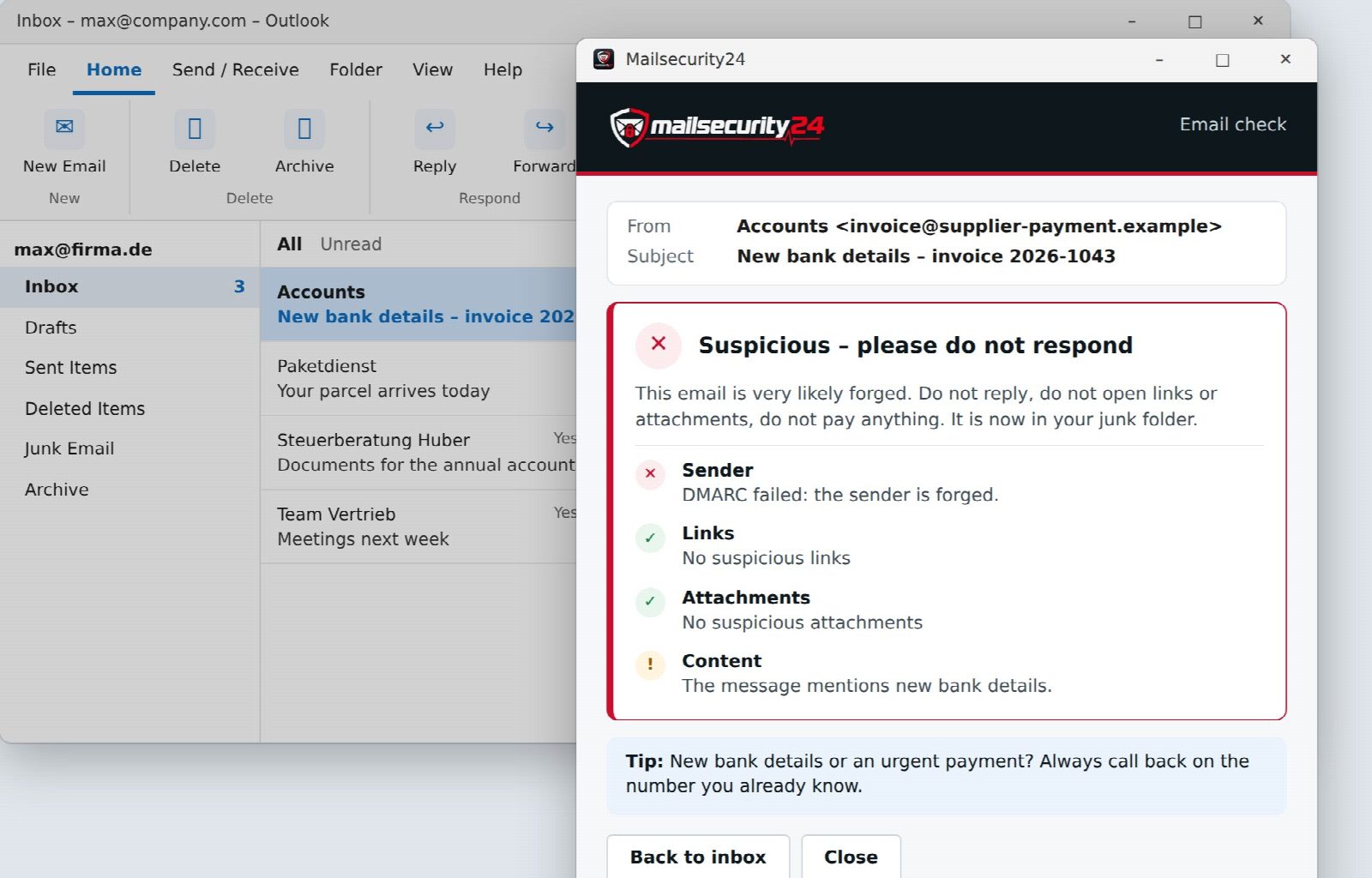
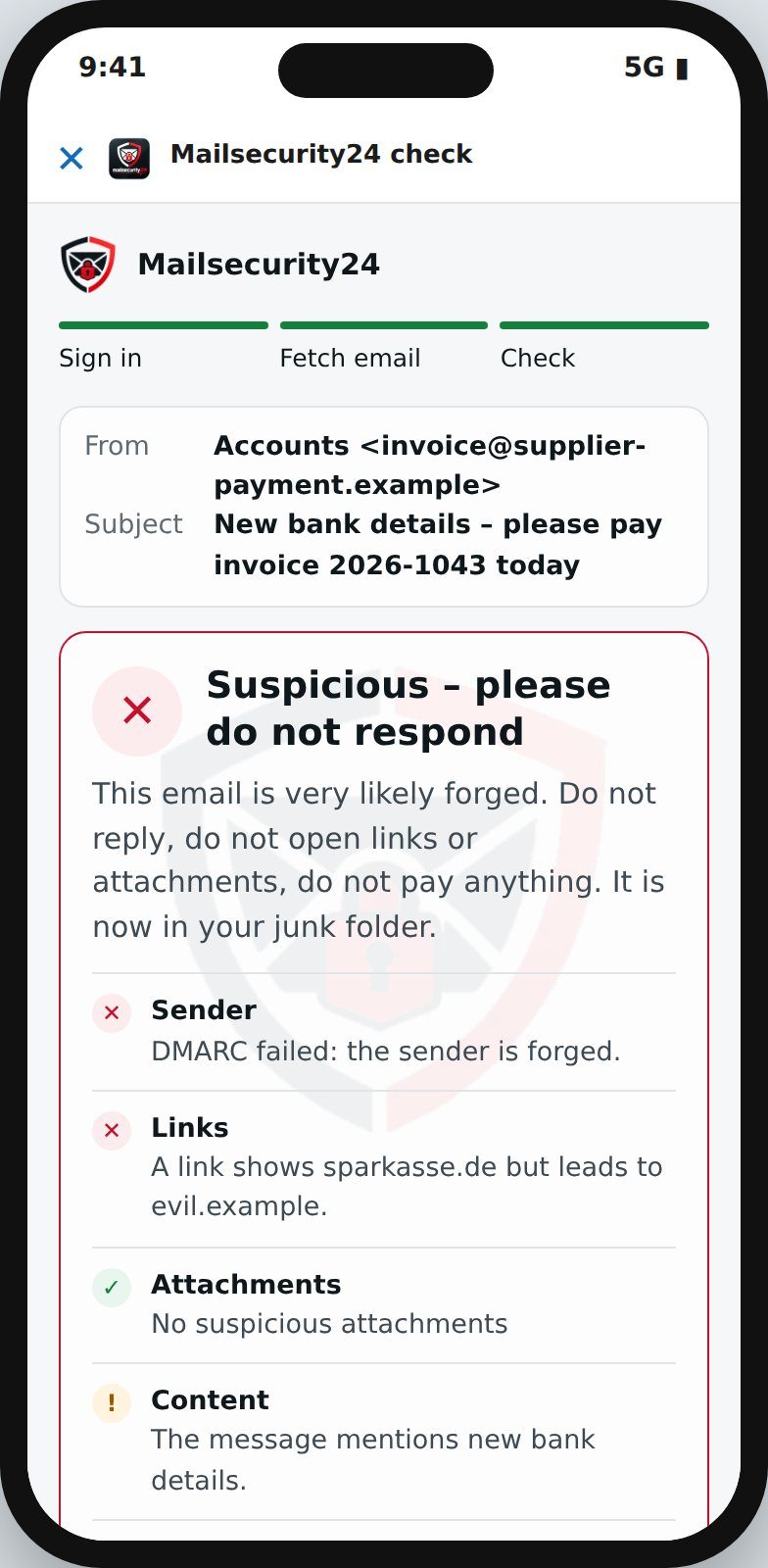
Invoice with new bank details, parcel notification, password warning: with “Check with Mailsecurity24” your team knows in seconds whether the email is genuine – in Outlook, in classic Outlook with IMAP and in Thunderbird, on desktop and on mobile.
Sign up, confirm your email, add your domain – takes two minutes.
We generate the right record for your DNS. An existing record is extended, not replaced.
The first reports usually arrive within 24 hours and appear in the portal automatically.
This short spot shows what Mailsecurity24 does. More videos about the BIMI logo studio and the domain check are in our media section.
DMARC is a DNS record that tells receivers how to handle email claiming to come from your domain but failing SPF and DKIM. Major providers such as Google and Yahoo now require DMARC for bulk senders.
No. You only publish a DNS record. Your email keeps flowing as before.
It stays. We only add our report address; other report recipients remain in place.
The major mailbox providers send their reports once a day. You will usually see the first results within 24 to 48 hours.
On our servers in Germany. Analysis data is deleted after your plan’s retention period, raw report files after 30 days.
Yes. Monthly plans can be cancelled monthly, managed yourself in the customer area. After the trial there are no costs unless you choose a plan.
Yes. Every day we check whether your mail servers offer encrypted connections via STARTTLS, which TLS version they use and how long the certificate remains valid. If encryption is missing or a certificate is about to expire, you receive an alert. From the Premium plan, we also analyse TLS reports from Google and Microsoft.
MTA-STS tells other mail servers to deliver email to you only encrypted and only to your genuine mail servers. This protects against intercepted or redirected connections. Mailsecurity24 checks your policy and, if you like, generates the required DNS records and the content of the policy file – starting in testing mode. Setup and daily monitoring are included from the Premium plan, the simple check in every plan.
Yes, for email. From Premium you create an evidence report as a PDF with one click: the status per measure under Section 30 BSIG – from protection against spoofed senders to encryption – evidenced from your checks and reports. Insurers and customers verify it online with a verification code. From Business you also get help with the questionnaires of cyber insurers.
The report is not a certification and does not replace a complete NIS2 implementation – it evidences your email measures. More about the evidence report
Try Mailsecurity24 free for 14 days. No payment details required.